
Aipom's Great Pirate Adventure
Build a Pokémon crew, collect relics, and take on pirate-themed auto-battler runs.
Community Verified
Confirmed playable from players’ real play data on Mac (not tested by ExeDock itself).
By platform
| Mac | Community verified1 players · 0.6 hours |
|---|---|
| iOS | Untested |
| Android | Untested |
| Total | 1 players · 0.6 hours |
Tested by players
| Players | 1 |
|---|---|
| Launch success | 100% |
| Players’ play time | 0.6 hours |
| Apple silicon | M3 |
| Memory | 8 GB |
| macOS version | macOS 26 |
| Game engine | RPG Maker XP |
| Last played | 2026-11-06 |
Added up automatically from anonymous play records, updated hourly.
Get the game Some are affiliate links
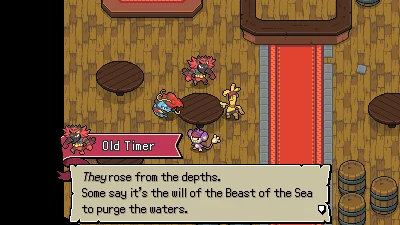
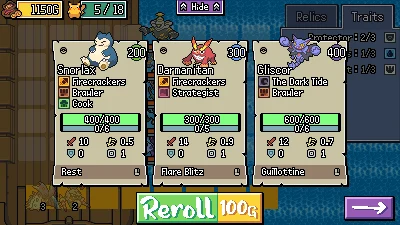
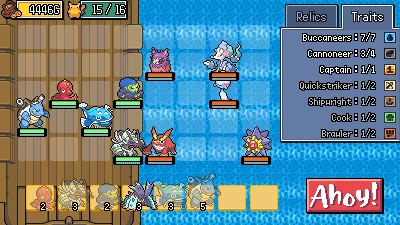
Aipom's Great Pirate Adventure is a Pokémon fan game made for Eevee Expo Game Jam 2026 by Brawligator and PikachuMazzinga. Recruit Pokémon, collect relics, and battle self-governing units in auto-battler encounters. It also features events, three colossal bosses, and an Endless Mode.
Can I play Aipom's Great Pirate Adventure on a Mac?
Yes. Aipom's Great Pirate Adventure is a Windows game that runs on Apple silicon Macs (M1 and later) with the free ExeDock launcher — status: Community Verified. The recommended settings are applied automatically; no virtual machine or manual Wine setup needed. 1 player has played it on Mac for 0.6 hours in total.
Can I play other RPG Maker XP games on Mac?
Usually, yes. Aipom's Great Pirate Adventure is made with RPG Maker XP, which ExeDock recognizes automatically; other RPG Maker XP games can be dragged into ExeDock and played with matching settings. Every game can differ, so check its page or simply try it.
Player community
No one has shared their experience yet. After playing with ExeDock, leave the first review or question on the game's page in the app.
Reviews, issue reports and replies all happen in the ExeDock app. No sign-up needed.