Windows games,
right on your Mac.
Drop a game folder into ExeDock and the compatibility environment is set up for you. Can’t read the dialogue? Translate it in the game. No virtual machine, no Wine setup.
Free · macOS 14.0 or later · Apple silicon · Version 0.2.1
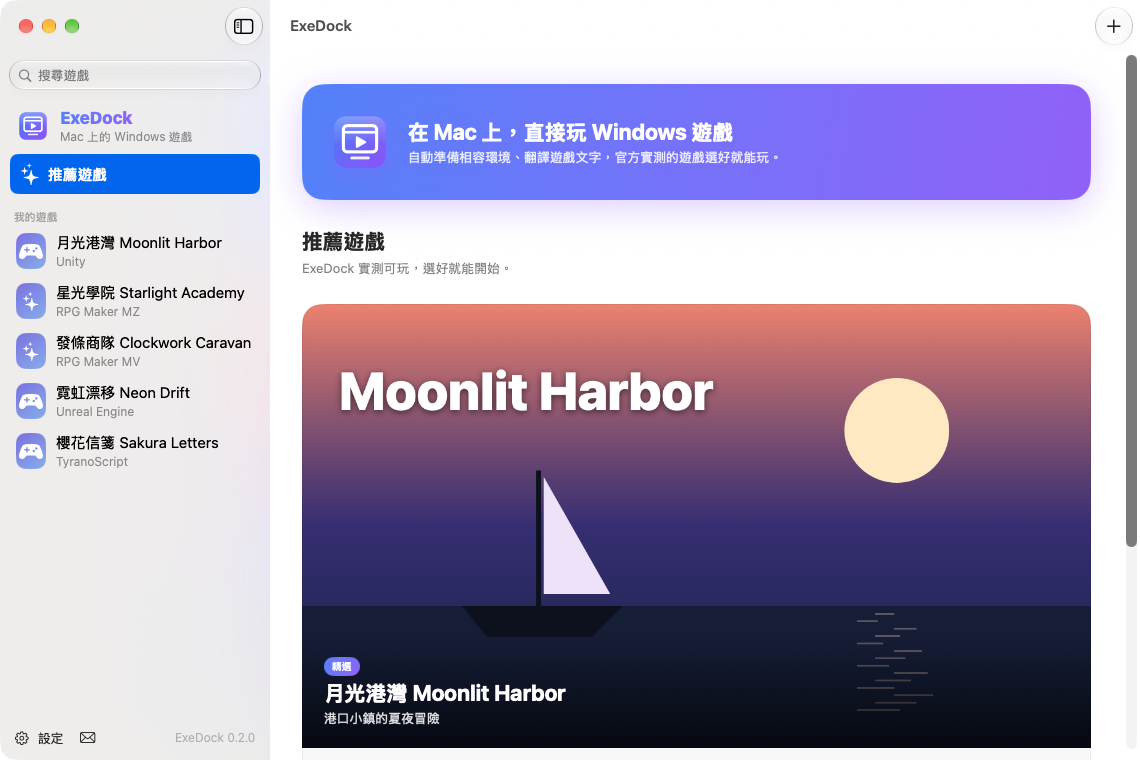
Built for Mac players
Play Windows games directly
Made for Apple silicon Macs. Each game gets its own environment, and your saves stay where they are.
Automatic setup
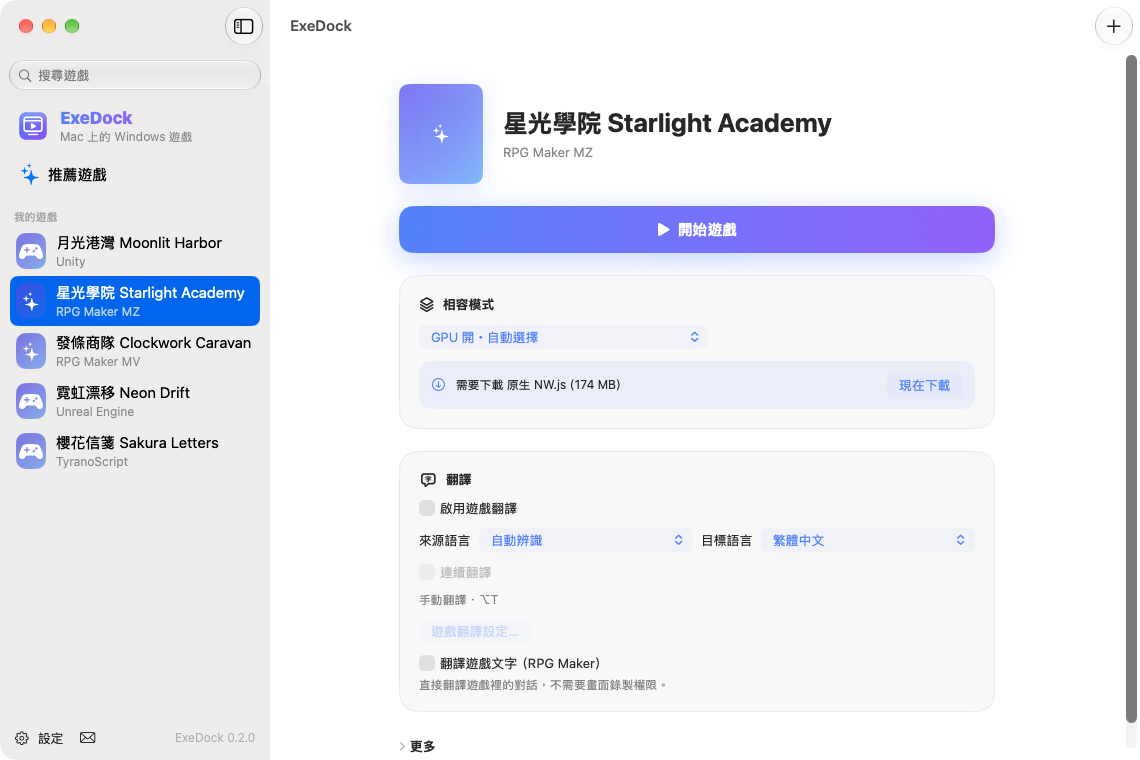
Wine, NW.js and graphics layers download the first time they’re needed, then get reused.
In-game translation
RPG Maker dialogue is translated directly; other games can use screen translation — all on your Mac.
Officially tested settings
For games we’ve tested, apply settings with working picture and sound in one click.
Graphics acceleration
DXVK built in, plus Apple’s D3DMetal (bring your own) for smoother 3D games.
Free, nothing uploaded
Games and saves never leave your Mac. Anonymous play info can be turned off anytime.
Dialogue you can read
In RPG Maker MV/MZ games, dialogue, choices and character names are translated and shown in the game’s own message window. Translated lines are remembered for next time.
Supported game systems
ExeDock detects the game engine and picks a suitable way to launch it.
Start playing in three steps
Drop in the game folder
ExeDock recognizes the engine and executable. Your game is never moved.
Pick a compatibility mode
Use the officially tested setting when there is one, or try the modes in order.
Play
The first launch prepares the environment; after that it’s one click.
Tested, recommended games
Every game here was tested with ExeDock, and the app applies the recommended setting for you.
Recommendations are coming soon.
Frequently asked questions
What is ExeDock?
ExeDock is a free game launcher for Mac that runs Windows games on Apple silicon Macs and sets up compatibility environments such as Wine and NW.js automatically.
Does it cost anything?
ExeDock is free. Some recommended games include store links; if you buy through them we may earn a commission at no extra cost to you.
Which Macs are supported?
A Mac with Apple silicon (M1 or later) running macOS 14 or later.
Which games are supported?
RPG Maker MV/MZ, TyranoScript, NW.js, Unity, Unreal Engine and other Windows games. The recommended list shows tested games, and support keeps growing.
How does translation work?
For RPG Maker MV/MZ, turn on “Translate game text” to translate dialogue directly; for other games use “Translate current screen”. Translation uses macOS’s built-in translation on your Mac.
Are my games or saves uploaded?
No. Games, saves and screen content stay on your Mac. With anonymous play info on, only data such as the compatibility mode and play time is sent, and you can turn it off in Settings.